
Freebie Invoice Maker Simple
Invoice GeneratorFinance
4.81.59K Reviews
- Version
- 26.3.10
- Installs
- 500.00K
- Age Rating
- Everyone
Screenshots
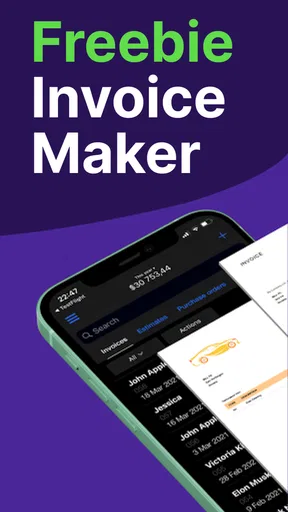
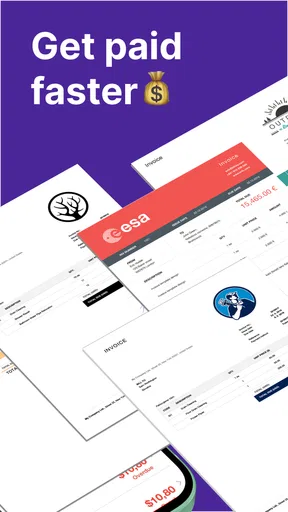

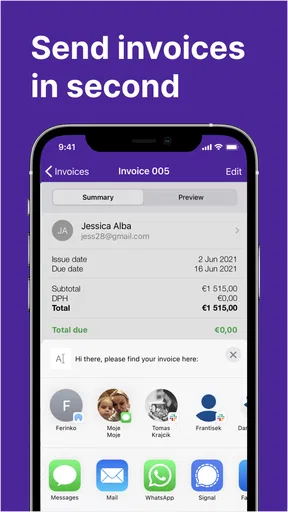
Our Review of Freebie Invoice Maker Simple
 Analysis by Appyee
When a client asks for an invoice while I’m away from my desk, I want to send something clear without turning a quick admin task into an evening project. Freebie Invoice Maker Simple is aimed at that practical need: it’s a finance app for putting invoices together and keeping track of them without the weight of a full accounting suite. I’d consider it for a freelancer, sole trader, or small operation that wants a straightforward mobile workflow, rather than a system for managing every part of a business.
Who benefits from keeping invoicing simple
The app makes the most sense when your invoicing needs are regular but uncomplicated. If you bill for design work, repairs, tutoring, or a small number of service jobs, having invoice creation and payment tracking in one place can be more useful than a large business platform with tools you may never touch. The trade-off is that a focused invoice maker should not be mistaken for bookkeeping software: anyone who needs broad financial reporting, deeper business administration, or a joined-up view of company finances may be better served by a dedicated accounting product.
For occasional users, the main question is whether a separate app saves enough time to justify maintaining another place for business information. If you only send an invoice every few months, a document template may be all you need. If you send them repeatedly, a saved set of business details and a consistent format can make the app more worthwhile. I’d judge it by how much repetitive typing it removes from your own routine, not by how many tools an invoicing app can advertise.
Getting Started
First things first, getting the app up and running is a piece of cake. After downloading the app from your preferred store, the installation process is straightforward. The interface is so intuitive that even your grandma could navigate it without a hitch. You start by entering your basic information—name, business name, contact details, you know the drill. It’s all about getting your invoices to reflect your brand, whether you’re a freelance graphic designer or a small business owner.
Design and User Interface
The design of the Freebie Invoice Maker Simple is as clean as a whistle. The color scheme is easy on the eyes, and the layout is uncluttered, making it a breeze to find what you need. The app is designed to keep things simple, and it succeeds in doing just that. You won’t find yourself lost in a sea of unnecessary features; everything is where it should be, which is a breath of fresh air.
Features That Make a Difference
Now, let’s talk about features. This app is packed with all the essentials without going overboard. You’ve got customizable templates that allow you to tailor your invoices to your liking. Want to add your logo or a personal touch? No problem. The app makes it easy to tweak the design to fit your brand.
Automation is another standout feature. You can set up recurring invoices, so you don’t have to manually create them every single time. It’s like having a personal assistant who never sleeps.
Now, let’s not forget about the payment tracking. The app lets you keep tabs on which invoices are paid, outstanding, or overdue. It’s like having a financial wizard sitting in your pocket, keeping your cash flow under control.
A routine that prevents avoidable mistakes
I’d set up a small repeatable habit before relying on any invoice maker: enter business details carefully, choose a consistent visual style, and review a finished invoice before sending it. A logo and a tidy template help a client recognize your paperwork, but clarity matters more than decoration. Make sure the service description, amount, and payment status are easy to check at a glance. This is especially useful when you’re preparing several invoices after a busy week and are more likely to overlook a small detail.
Recurring invoices are most helpful when the work and amount genuinely repeat. For a fixed monthly service, automation can reduce routine effort; for variable projects, I would still check each invoice before it goes out. A repeat schedule is a convenience, not a substitute for confirming that the customer, work period, and charge are right. That distinction is an easy way to save time without letting a familiar workflow become careless.
Payment tracking also works best as a habit rather than a one-time setup. When a payment arrives, update the relevant invoice promptly, then use the outstanding and overdue statuses as a follow-up cue. That gives you a simple view of what needs attention without asking the app to replace a bank statement or a proper reconciliation process. If you work with many clients, keeping your own consistent naming and review routine can make that list easier to scan.
Usability and Performance
This app is as reliable as your trusty old coffee maker. It’s fast, responsive, and doesn’t crash every time you blink. Whether you’re generating invoices on your tablet or your phone, the performance is consistently smooth. The app’s developers clearly put a lot of thought into optimizing it for all devices, and it shows.
Settings worth checking before your first invoice
Before sending real paperwork, I’d take a moment to inspect the details that shape how a client sees and understands an invoice. Confirm that your business name and contact information are written exactly as you want them to appear, and check the template after adding any branding. A logo can look different in a compact layout than it does on a larger screen, so previewing the finished result is a useful last step rather than fussy perfectionism.
Then think about how you want to use recurring billing and status labels. They are most effective when they match your actual process: decide which services are predictable enough to repeat, and make a point of updating payment status as part of your bookkeeping routine. If your rates or work vary from one job to another, manually reviewing each invoice is safer than treating repetition as automatic approval.
There is also a practical boundary to keep in mind around records. An invoice app can help you prepare and organize invoices, but I would not assume that a tidy list of statuses covers every financial record a business needs. Keep whatever separate records your own tax, accounting, or client processes require. This is a modest extra step, but it avoids asking a lightweight invoicing tool to do a broader job than its workflow is designed for.
How it fits beside other ways to invoice
Compared with building each invoice from scratch in a word processor or spreadsheet, a dedicated maker can make repeat work feel more orderly: you start from an invoice-focused layout and can track whether a bill is paid or still needs attention. A spreadsheet may offer more freedom for someone who enjoys designing their own system, but it also leaves more of the formatting and status management to the user. For a small independent business, I’d choose the app when consistency and convenience matter more than custom calculations or a highly tailored record-keeping setup.
Compared with a broad accounting platform, the appeal is the smaller scope. Someone who only wants to issue invoices and keep an eye on their status may prefer not to navigate a full suite. On the other hand, if invoices must sit alongside expenses, tax preparation, inventory, or detailed financial reports, an accounting service is the more sensible place to look. The right choice depends less on which option has the longest feature list and more on whether your work needs an invoice tool or a complete financial workflow.
Security and Support
In today’s digital world, security is paramount, and the folks behind this app know it. All your data is stored securely, and you can rest easy knowing your financial info isn’t going to end up in the wrong hands. Plus, if you ever run into any issues, the support team is just a click away, ready to assist you with any hiccups.
And if you’re the type who likes to tinker and troubleshoot on your own, there’s a comprehensive FAQ section within the app that covers just about every question under the sun.
Cost, compatibility, and expectations
The app is free to install and use, with in-app purchases listed from $5.99 to $199.99 per item, so I’d check the available purchase options and what each one covers before committing to anything beyond the free experience. That matters if you are choosing a tool for a business with a tight budget: the headline price is not the whole decision when optional purchases are present. I’d first make sure the basic invoice routine suits you, then consider whether any paid option is worth it for your actual workload.
It is rated for Everyone and is listed for Android 7.0 or later. The current release is version 3.1.1, and the app comes from Invoice Generator. It has a 4.9 average from around 17,000 ratings, with about 1,500 written reviews and over 100,000 installs. Those figures suggest that many people have tried it, but they cannot tell you whether its particular workflow fits your business; I’d still test how comfortably you can create and review a typical invoice.
A realistic test is a small job you have just completed: enter the client and work details, check the template, send the invoice through your usual process, and then update its status when payment comes in. If that sequence feels straightforward, the app is probably a good match for occasional or repeat service billing. If you immediately find yourself needing connected accounting, extensive reporting, or a different approval process, that is a useful sign to choose a broader tool instead.
Final Thoughts
In the end, Freebie Invoice Maker Simple is like that reliable friend who always shows up when you need them. It makes creating and managing invoices a hassle-free experience, allowing you to focus on what you do best—running your business. Whether you’re a seasoned pro or just starting out, this app is a fantastic tool to have in your arsenal.
So, if you’re tired of wrestling with complicated invoicing software, give this app a whirl. It might just become your new best friend in the business world. And the best part? You can try it out without spending a dime. Go ahead, download it, and let your invoicing woes be a thing of the past.
My practical verdict
I’d recommend it to someone who wants a simple, mobile way to create invoices, reuse a consistent presentation, and keep paid versus unpaid work visible. Its strongest case is a small, repeatable invoicing routine where the same basic steps come around often enough to benefit from a dedicated app. It is less compelling for someone who rarely bills clients, or for a growing business that needs invoicing tightly connected to its wider accounts.
The useful way to approach it is to keep the process deliberate: set up your details once, use recurring invoices only for genuinely predictable work, and review every invoice before it reaches a client. That combination gets the convenience without confusing automation with oversight. For straightforward freelance or small-business billing, I think that balance makes it a sensible option to try; for complex finance work, I’d move up to a fuller accounting solution.
Verdict
Strengths of Freebie Invoice Maker Simple
- User-friendly interface for quick navigation.
- Customizable templates enhance personalization.
- Supports multiple currencies and languages.
- Offline functionality available for remote areas.
- Integration with major accounting software.
Limitations of Freebie Invoice Maker Simple
- Limited free features in the basic version.
- Occasional syncing issues with cloud storage.
- No option for recurring invoice automation.
- Customer support response can be slow.
- Limited design customization options.
Similar Picks in This Category
View All
Google Wallet
Google LLC4.3

Airtel: Recharge, Bank & Loans
Airtel4.0

PayPal - Pay, Send, Save
PayPal Mobile4.2

DANA Indonesia Digital Wallet
PT Espay Debit Indonesia Koe4.5

Binance: Buy Bitcoin & Crypto
Binance Inc.4.8

Cash App
Block, Inc.4.7
Frequently Asked Questions
Is Freebie Invoice Maker Simple free to use?
Yes, Freebie Invoice Maker Simple is entirely free to download and use. The app offers basic invoicing features without any hidden costs or subscription fees. However, there may be optional in-app purchases or premium features available for users who need more advanced functionalities.
What platforms is Freebie Invoice Maker Simple available on?
Freebie Invoice Maker Simple is available on both Android and iOS platforms. You can easily download it from the Google Play Store or the Apple App Store, ensuring compatibility with most smartphones and tablets to help you manage invoices on the go.
Can I customize invoices in Freebie Invoice Maker Simple?
Yes, the app allows for significant customization of your invoices. Users can add their company logo, adjust color schemes, and choose from various templates to create professional-looking invoices tailored to their business needs, enhancing brand consistency.
Does Freebie Invoice Maker Simple support multiple currencies?
Absolutely! Freebie Invoice Maker Simple supports multiple currencies, making it a great choice for businesses working with international clients. You can easily switch currencies when creating invoices, ensuring accurate billing and smooth transactions with global customers.
How does Freebie Invoice Maker Simple ensure data security?
Freebie Invoice Maker Simple prioritizes user data security by employing encryption protocols to protect sensitive information. Additionally, it offers options for secure cloud backup, ensuring that your data is safe and accessible whenever needed, minimizing risks of data loss.
